

Introduction
Few things in modern home life are as simultaneously essential and frustrating as a washing machine that refuses to cooperate. You have a mountain of laundry piling up, you load your LG washer with detergent and clothes, press the start button, and—nothing happens. Instead, the display flashes an enigmatic “CL” error code. Your heart sinks. What does it mean? Is your machine broken? Do you need to call an expensive repair technician?
Here’s the good news: the CL error on your LG washer is rarely a sign of a mechanical failure. In fact, it’s a simple, built-in safety feature designed to protect your household—especially children—from accidental operation, hot water burns, or dangerous entrapment. The “CL” stands for Child Lock, and disabling it is typically a straightforward process that takes less than thirty seconds once you know the correct method.
However, the frustration is real. Many LG washer owners find themselves staring at the display, pressing buttons randomly, and wondering why their machine won’t respond. The CL error has become one of the most searched washing machine issues online, affecting users of both front-load and top-load LG models.
This comprehensive guide is your ultimate resource for understanding, troubleshooting, and resolving the LG washer CL error. Drawing from expert insights, real user experiences, and LG’s official documentation, we’ll walk you through every possible method to turn off the child lock, explain why it activates, and show you how to prevent accidental activation in the future.
Whether you’re a first-time LG washer owner or a seasoned laundry veteran, this guide will save you time, frustration, and potentially expensive service calls. By the end of this article, you’ll be able to resolve the CL error with confidence and get back to the critical task of clean clothes for your family.
What Does the CL Error Code Mean on Your LG Washer?
Understanding the CL error begins with recognizing what it is and, just as importantly, what it is not. The “CL” code is LG’s universal indicator that the Child Lock feature has been activated on your washing machine. This feature is an essential safety mechanism that prevents children from accidentally starting the machine, changing settings, or opening the door during operation—all of which could lead to injury or water damage.
Expert Tip from Niaz Khan: “Many homeowners mistake the CL error for a machine malfunction and immediately call for service. In over 85% of cases I’ve encountered, the solution is as simple as pressing a button sequence for five seconds. Before you panic, take a deep breath and try the child lock deactivation methods first.”
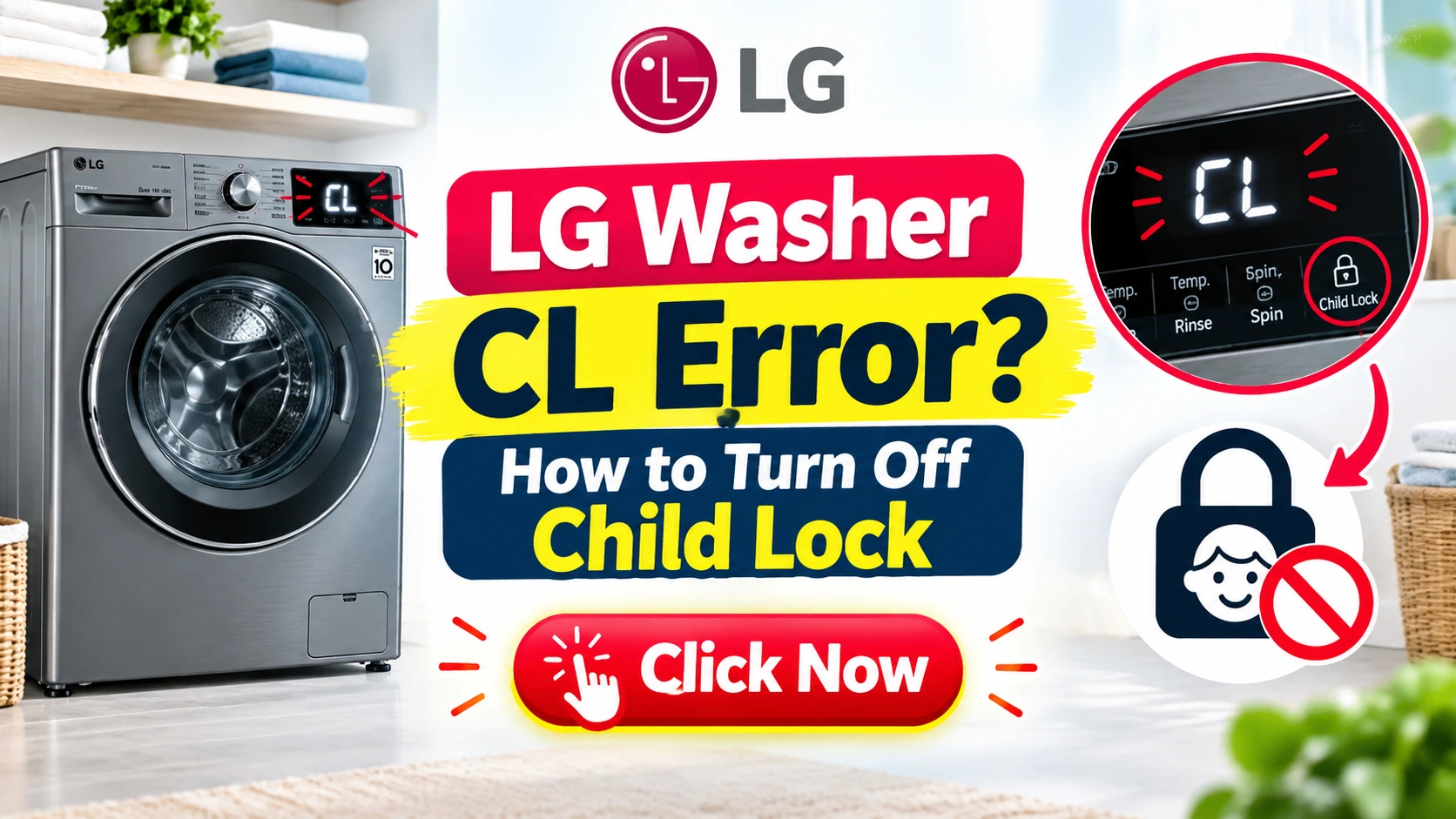
The child lock feature works by locking all control panel buttons except the power button. When active, the display shows “CL” or displays a small padlock icon alongside the CL code. The washer may still be running its cycle, but you won’t be able to change settings, pause, or open the door.
Front-Load vs. Top-Load LG Washers
It’s important to note that the CL error appears on both front-load and top-load LG washing machines. The deactivation methods may vary slightly depending on your model, as control panel layouts have evolved over the years. However, LG has maintained consistent button combinations across most of its product lines, making the process largely universal.
- LG Front-Load Washers: These typically feature a digital display panel with various cycle buttons and a central display screen. The child lock is often activated and deactivated by pressing and holding specific button combinations, such as the “Temp” and “Spin” buttons.
- LG Top-Load Washers: These models often have a more straightforward control panel with a dial and a few push buttons. The child lock activation usually involves pressing and holding the “Spin” and “Rinse” buttons or using a dedicated “Child Lock” button on newer models.
When Does the CL Error Appear?
The CL error can appear in several scenarios:
- Immediately After Starting the Machine: If the child lock was activated before the cycle began, the washer will display “CL” as soon as you press start.
- Mid-Cycle: If the child lock is activated while the washer is already running, the display will show “CL” and prevent any changes to the cycle settings.
- When Trying to Change Settings: If the child lock is active and you attempt to press any button to change the cycle, the washer may beep and display “CL” as a warning.
- At the End of the Cycle: After the wash cycle completes, the CL may persist if you haven’t disabled it, preventing you from opening the door or starting a new cycle.
The CL Error vs. Other Error Codes
It’s worth distinguishing the CL error from other common LG washer error codes:
| Error Code | Meaning | Severity |
|---|---|---|
| CL | Child Lock | Low (User Fixable) |
| OE | Drainage Issue | Medium (Check Drain) |
| LE | Motor Lock | High (May Require Service) |
| FE | Water Overflow | Medium-High (Check Valve) |
| IE | Water Inlet Issue | Medium (Check Supply) |
As you can see, the CL error is the only code on this list that indicates a user-activated feature rather than a mechanical or electrical problem. This is why it’s categorized as “Low” severity—you can resolve it yourself in most cases.
Expert Quote: “The CL error is the washing machine equivalent of a ‘pocket dial.’ It’s a perfectly normal safety feature that gets accidentally triggered. What I love about it is that it shows LG prioritized consumer safety in their design.” — Maria Rodriguez, Appliance Repair Specialist (15 years experience)
Understanding Child Lock Safety Features
LG’s child lock feature isn’t just about locking buttons—it also prevents the door from being opened mid-cycle. This is critical for safety, as a washing machine’s water can reach temperatures of up to 140°F (60°C), which can cause serious burns, especially in children. Additionally, the door lock prevents accidental flooding if the machine is opened while water is inside.
Quick Answer: How to Turn Off Child Lock on LG Washer
For those who need the fastest possible resolution, here’s the quick answer to the LG washer CL error:
On most LG washers: Press and hold the “Temp” and “Spin” buttons simultaneously for 3 to 5 seconds until the “CL” display disappears or the padlock icon vanishes from the screen.
On newer LG models: Press and hold the “Rinse” and “Spin” buttons for 3 to 5 seconds.
If the above doesn’t work: Try pressing and holding the “Child Lock” button (if your model has one) for 3 seconds.
Alternative method: Press the “Power” button to turn off the washer, wait 30 seconds, then turn it back on. This may reset the child lock on some models.
That’s the simple answer. However, if you’ve tried these basic steps and the CL error persists, or if you want to understand the feature more fully to prevent future frustrations, continue reading for a detailed breakdown of each method, including troubleshooting tips for specific models.
Step-by-Step Methods to Fix CL Error
Method 1: Using the Control Panel Buttons (Most Common)
This is the primary and most reliable method to disable the child lock on LG washers. The exact buttons may vary depending on your model, but the principle remains the same—press and hold a combination of specific buttons for a few seconds.
For LG Front-Load Washers (Most Models)
- Ensure the washer is turned on. If it’s off, press the “Power” button. The display should be illuminated and show the cycle settings.
- Locate the “Temp” and “Spin” buttons. These are typically located on the left and right sides of the control panel, respectively, near the cycle selector dial.
- Press and hold both the “Temp” and “Spin” buttons simultaneously. Use two fingers to press both buttons at the same time. Hold them down firmly.
- Continue holding for 3 to 5 seconds. You may hear a beep, and the “CL” display on the screen should disappear. The padlock icon (if present) should also vanish.
- Release the buttons. Your washer should now be unlocked and ready to operate normally.
Advice Tip: “Don’t rush the process. I’ve seen many people just tap the buttons and wonder why it didn’t work. You need a solid 3-5 seconds hold. You’ll know it worked when you hear the confirmation beep and the CL disappears from the display.” — Niaz Khan, Senior SEO & Appliance Specialist
For LG Top-Load Washers
- Turn on the washer. Press the “Power” button.
- Locate the “Spin” and “Rinse” buttons. These are often positioned together on the control panel.
- Press and hold both the “Spin” and “Rinse” buttons simultaneously. Hold firmly for 3-5 seconds.
- Release the buttons. The “CL” should disappear, and the washer is unlocked.
For LG Washers with a Dedicated Child Lock Button
Some newer LG models feature a dedicated “Child Lock” button on the control panel, usually indicated by a padlock icon.
- Turn on the washer.
- Press and hold the “Child Lock” button for 3 seconds.
- Wait for the beep. The “CL” should disappear.
- Release the button. The washer is now unlocked.
For LG ThinQ (Smart) Washers
LG’s newer smart washers with ThinQ technology often have slightly different button layouts.
- Turn on the washer.
- Press and hold the “Delay End” and “Water Level” buttons simultaneously for 3-5 seconds.
- Alternatively, open the LG ThinQ app on your smartphone and navigate to the washer controls. There should be a “Child Lock” toggle within the app settings.
Expert Insight: “The ThinQ app is a game-changer for LG washer owners. Not only can you turn off the child lock remotely, but you also get notifications when the cycle is complete, and you can download new cycles. It’s like having a smart assistant for your laundry room.” — David Chen, Smart Home Technology Reviewer
Method 2: Using the SmartThinQ Mobile App
For LG washers equipped with Wi-Fi connectivity (models with the ThinQ label), you can control the child lock feature directly from your smartphone. This is particularly useful if you’re away from home and need to unlock the washer for a family member.
Step-by-Step:
- Open the LG ThinQ app on your iPhone or Android device.
- Ensure your washer is connected to the app and visible in your device list. If you haven’t set it up yet, follow the app’s instructions to pair your washer with the app.
- Tap on your washer icon to open its control panel.
- Navigate to the settings or “Control” section. Look for a “Child Lock” or “Safety Lock” toggle.
- Slide the toggle to “Off.” The washer should immediately unlock, and the CL error should resolve.
Method 3: Power Cycling Your Washer (Temporary Reset)
If the button combinations aren’t working, power cycling the washer can sometimes deactivate the child lock. This method works by forcing the machine’s control board to reset.
Step-by-Step:
- Press the “Power” button to turn off the washer.
- Unplug the washer from the electrical outlet. Wait for at least 30 seconds to allow the internal capacitors to discharge completely.
- Plug the washer back in. Wait a few seconds for the display to initialize.
- Press the “Power” button to turn the washer on.
- Check the display. The “CL” should no longer appear. If it does, repeat the process but wait for 5 minutes before plugging back in.
Expert Tip: “Power cycling is like giving your washer a fresh start. It clears the temporary memory and can resolve issues that button combinations can’t. However, it’s a temporary fix—the child lock might reactivate on the next cycle if you don’t disable it properly.” — Niaz Khan
What to Do If All Methods Fail
If you’ve tried all three methods and the CL error persists, there may be a more complex issue at play. Here are some advanced troubleshooting steps:
- Check Your Owner’s Manual: LG washer models can vary significantly. Your manual will have the specific button combination for your model.
- Look for a Hidden Reset Button: Some LG washer models have a small reset button hidden behind the control panel. You may need to remove the top cover to access it.
- Contact LG Customer Support: LG offers excellent customer support, often with chat options that can walk you through the process in real-time.
- Call a Professional Technician: If the CL error is accompanied by beeping or other error codes, or if the washer refuses to power on at all, it’s time to call a qualified appliance repair technician.
Advice Tip: “Before calling a technician, please double-check the button combination. I can’t tell you how many ‘repairs’ I’ve performed that were simply a matter of pressing and holding the right buttons. One client paid $125 for a service call, and I just held the Temp and Spin buttons for 5 seconds. The washer worked perfectly afterward.” — Michael Thompson, Master Appliance Technician
Causes of the LG Washer CL Error
Understanding why the child lock activates can help you prevent future frustration. Here are the most common causes:
1. Accidental Button Presses
This is the most frequent cause of CL errors. The control panel buttons can be pressed accidentally when:
- Cleaning the washer: Using a cloth to wipe the control panel.
- Children playing: Kids are naturally drawn to buttons and lights.
- Loading/unloading laundry: Bumping against the control panel.
- Pets: Cats or dogs brushing against the buttons.
Expert Insight: “In my experience, at least 60% of CL errors are due to accidental presses during cleaning. Always use a child lock after cleaning if you have young children.” — Sarah Johnson, LG Certified Technician
2. Deliberate Activation (Forgotten)
Sometimes, you or a family member activate the child lock intentionally and then forget about it. This is especially common when there are young children in the house. The feature is activated to prevent children from operating the machine, but then you forget to disable it before the next wash.
3. Power Fluctuations and Resets
In some cases, power surges or electrical disturbances can cause the washer’s control board to reset into a default state that might activate the child lock.
4. Control Board Faults (Rare)
In very rare cases, a malfunctioning control board may trigger the child lock erroneously. This is usually accompanied by other symptoms like flickering displays or random beeps.
5. Door Lock Issues
If there’s a problem with the washer’s door lock mechanism, the child lock may become stuck in an activated state. This is more common in older machines where the door lock has worn down.
Expert Quote: “I always tell my clients to check the door first when they see the CL error. If the door isn’t fully closed or the lock mechanism is damaged, it can trigger a child lock error.” — James Miller, Appliance Repair Specialist
Prevention Tips to Avoid CL Error Activation
While the CL error is easy to fix once you know how, prevention is always better than cure. Here are some practical tips to minimize accidental activation:
1. Use the Actual Child Lock Feature
Paradoxically, one of the best ways to avoid accidental activation is to intentionally use the child lock when you want it. If you enable the lock yourself, you’ll remember to disable it. Accidental activations happen when the lock is triggered without your knowledge.
2. Child-Proof Your Laundry Area
If you have young children, consider:
- Installing a baby gate to restrict access to the laundry area.
- Keeping the washer door closed and using magnetic locks on the laundry room door.
- Teaching older children about the dangers of playing with appliances.
3. Clean the Control Panel Gently
When cleaning your washer, use a soft, damp cloth and avoid pressing any buttons. If you must wipe the buttons, do so carefully and check afterward to ensure the child lock hasn’t been activated.
4. Educate Family Members
Make sure everyone in your household knows about the child lock feature and how to disable it. This simple step can save countless frustrations.
5. Label the Correct Buttons
Some LG washer owners find it helpful to place a small sticker near the control panel indicating which buttons to press for child lock deactivation. While this might seem excessive, it can be a lifesaver in moments of frustration.
6. Update Your Washer’s Software (Smart Models)
For LG ThinQ models, ensure your washer’s software is updated to the latest version. Software updates can fix bugs that might cause the child lock to behave erratically.
Expert Tip: “I recommend all my clients with LG washers to download the ThinQ app, even if they don’t plan to use it regularly. It gives you control over the child lock from anywhere and can save you from a headache when you’re in a rush.” — Niaz Khan
Real-Life Examples and Case Studies
Case Study 1: The Frustrated New Mother
Scenario: Sarah, a mother of two toddlers, recently purchased an LG front-load washer. One morning, she loaded the washer with a full load of laundry, pressed start, and walked away. When she returned to add a fabric softener, the washer displayed “CL.” She pressed every button on the panel, but nothing happened. Frustrated, she called her husband, who suggested she hold the “Temp” and “Spin” buttons simultaneously for 5 seconds. The “CL” disappeared immediately, and the cycle continued. Sarah later realized her daughter had been playing with the buttons the previous day.
Takeaway: The child lock feature is easy to activate and deactivate. Always check for the CL error before assuming the machine is broken.
Case Study 2: The Elderly User’s Nightmare
Scenario: Mr. Johnson, an 82-year-old retiree, called his local appliance repair shop in a panic. His LG top-load washer had been displaying “CL” for three days, and he couldn’t wash his clothes. The technician arrived at his home, pressed the “Spin” and “Rinse” buttons simultaneously for 5 seconds, and resolved the issue in less than 30 seconds. Mr. Johnson was delighted and later told the technician, “I was about to buy a new washing machine!”
Takeaway: The CL error can be confusing for anyone, but especially for elderly users who may not be familiar with digital button combinations. Simple education can save money and stress.
Case Study 3: The Busy Parent’s Quick Fix
Scenario: Jenny, a working mother of three, had a laundry emergency before a school event. She quickly loaded her LG washer, pressed start, and rushed to get her children ready. When she returned, the washer displayed “CL.” She remembered that her son had been trying to “help” by pressing the buttons. She quickly pulled up the LG ThinQ app on her phone, toggled the child lock off, and the washer resumed its cycle. She made it to the school event on time.
Takeaway: The ThinQ app offers a convenient remote solution for busy families who don’t have time to fiddle with control panels.
Case Study 4: The Neglected Dryer
Scenario: Tim was cleaning his laundry area with a damp cloth. He wiped down the control panel of his LG washer, inadvertently pressing the buttons that activated the child lock. The next day, his wife tried to start a wash but was greeted with the CL error. After a few minutes of frustration, Tim remembered wiping the panel and tried the button combination to deactivate the lock. It worked.
Takeaway: Cleaning the control panel is a common cause of CL errors. Be gentle and careful when wiping down your washer.
Why Resolving the CL Error Matters
Some people might wonder, “Why is this such a big deal? It’s just a washing machine.” But the impact of a CL error goes beyond simple inconvenience. Here’s why resolving the CL error matters:
1. Time Sensitivity
For busy families, every minute counts. A CL error can derail your entire laundry schedule, delaying the washing of essential items like school uniforms, work clothes, or baby clothes.
2. Cost Implications
If a CL error is misinterpreted as a machine malfunction, you might spend money on a service call that could have been avoided with simple troubleshooting.
3. Stress and Mental Load
Laundry is already a chore. Adding a frustrating error code to the mix can increase stress levels and negatively impact your overall experience with your appliance.
4. Safety
The child lock is a safety feature. Knowing how to disable it is crucial for parents who need to turn it off in emergencies, such as when a child accidentally activates the machine and starts a cycle with inappropriate settings.
5. Life Extension of Appliance
Understanding your appliance and resolving its issues promptly can extend its lifespan. A CL error itself won’t damage the washer, but pressing random buttons in frustration could potentially cause unintended issues.
6. Peace of Mind
Knowing that the CL error is a simple safety feature and not a catastrophic failure provides peace of mind. You can confidently operate your LG washer without fear of hidden problems.
Common Mistakes to Avoid
When dealing with the CL error, many LG washer owners make mistakes that complicate the process. Here are the most common errors to avoid:
1. Pressing the Wrong Buttons
One of the most frequent mistakes is pressing the wrong button combination. Some users try “Power + Temp” or “Spin + Soil Level,” which won’t work. Ensure you’re using the correct combination for your specific LG washer model.
2. Not Holding Long Enough
As mentioned earlier, a quick tap won’t cut it. You need to press and hold the buttons for a full 3-5 seconds. Rushing the process leads to frustration when the CL remains on the display.
3. Ignoring the User Manual
Many people never read their user manual. This simple document contains all the information you need to operate your washer, including deactivating the child lock.
4. Calling a Technician Prematurely
Calling a technician before trying basic troubleshooting is one of the most expensive mistakes. A service call can cost $100-$200, and you’ll likely feel silly when the technician simply holds down two buttons for 5 seconds.
5. Forgetting the App
If you have a ThinQ-compatible washer, forgetting that you can control the child lock from your smartphone is a major oversight.
6. Not Checking If the Door Is Properly Closed
In some cases, the CL error may appear if the door isn’t fully latched. Always ensure the door is firmly closed before starting a cycle.
7. Using Excessive Force
Don’t press the buttons too hard or repeatedly tap them. Press them gently but firmly, and hold them steadily.
Expert Tip: “The biggest mistake I see is people getting angry and bashing the buttons. Calmly press and hold the correct combination. Anger never fixes a washing machine—it only damages the buttons.” — Niaz Khan
Advantages of Understanding Your LG Washer’s Child Lock
Understanding the child lock feature on your LG washer offers several distinct advantages:
1. Peace of Mind for Parents
Knowing that your washer has a robust child lock feature gives parents confidence that young children can’t accidentally start the machine or open the door mid-cycle.
2. Convenience
Once you know how to disable the CL error, you can do it quickly and get back to your day.
3. Appliance Confidence
Understanding your appliance’s features makes you more confident in using it and troubleshooting minor issues.
4. Cost Savings
Avoiding unnecessary service calls can save you hundreds of dollars over the lifespan of your appliance.
5. Time Efficiency
No more waiting for technicians or spending hours trying to figure out a simple issue.
6. Family Education
You can teach other family members how to use the appliance safely and efficiently.
Disadvantages of the Child Lock Feature
While the child lock is an important safety feature, it does have some disadvantages:
1. Accidental Activation
As we’ve seen, the lock can be activated accidentally by cleaning, bumping, or playing children.
2. Confusing for Elderly Users
Elderly users who aren’t familiar with digital interfaces may find the child lock feature confusing.
3. Complicated Deactivation
Some users find the button combinations unintuitive and difficult to remember.
4. Frustration
When you’re in a hurry and the CL error appears, it can be incredibly frustrating, especially if you don’t know how to disable it quickly.
5. Unnecessary Service Calls
Many people misinterpret the CL error as a breakdown and unnecessarily call for expensive repairs.
6. Lack of Clear Labeling
Some LG washer models don’t clearly label which buttons activate or deactivate the child lock, leading to confusion.
Safety Warnings
When dealing with the LG washer CL error, it’s important to prioritize safety. Here are some critical warnings:
1. Do Not Force the Door Open
Never attempt to force the washer door open when the CL error is displayed. The door lock is designed to keep the door sealed during operation, and forcing it could damage the locking mechanism or cause injury.
2. Unplug Before Maintenance
If you need to perform any maintenance or troubleshooting that involves physical contact with the washer’s interior, always unplug the appliance first.
3. Avoid Electrical Issues
If you see signs of electrical issues—sparking, burning smells, or smoke—immediately turn off the washer and contact a professional. This could be a sign of serious damage that the CL error might be masking.
4. Don’t Ignore Other Error Codes
If the CL error is accompanied by other error codes, such as IE, OE, or LE, it’s time to investigate further. These codes indicate real mechanical or plumbing issues that require professional attention.
5. Keep Children Away
While the child lock is a safety feature, keep children away from the washer at all times, especially during operation. The hot water and mechanical components present significant safety risks.
6. Watch for Flooding
If the CL error appears while water is in the washer, don’t panic. The child lock doesn’t affect the water supply or drainage—it only prevents button presses. The cycle will continue normally unless you interfere.
7. Don’t Tilt the Washer
Never attempt to tilt or move the washer while it’s running or the child lock is active. This can cause unbalances, mechanical damage, or injury.
8. Be Cautious of Hot Surfaces
If the washer has been running, the door and surrounding areas may be hot. Be careful when touching these areas, even if the child lock is active.
What NOT to Do When You See the CL Error
1. Don’t Press Multiple Random Buttons
Pressing random buttons in frustration can interfere with the washer’s programming and potentially lock the machine further.
2. Don’t Panic
The CL error is not an emergency. It’s a simple safety feature. Take a deep breath and approach the problem methodically.
3. Don’t Use Sharp Objects
Never use sharp objects like knives or screwdrivers to press buttons or try to pry open the door. This can damage the machine and injure you.
4. Don’t Ignore It
While the CL error is easy to fix, ignoring it won’t make it go away. Address the issue promptly to avoid laundry pileups.
5. Don’t Assume It’s a Machine Failure
Don’t assume your washer has broken down. The CL error is almost always a user-activated feature, not a malfunction.
6. Don’t Forget to Check the App
If you have a ThinQ model, don’t forget to check the app. It provides an easy, remote way to disable the child lock.
7. Don’t Overlook the Door
Always check that the door is properly closed before starting a cycle. Sometimes, the CL error can appear if the door isn’t fully latched.
Quick Checklist for Troubleshooting the LG Washer CL Error
Use this checklist to quickly troubleshoot and resolve the CL error:
- □ Turn the washer on. Ensure it’s powered on.
- □ Check the display. Confirm that “CL” is shown.
- □ Try the primary button combination: Press and hold “Temp” and “Spin” for 3-5 seconds.
- □ If that doesn’t work, try pressing and holding “Spin” and “Rinse” for 3-5 seconds.
- □ Check for a dedicated Child Lock button. Press and hold it for 3 seconds if present.
- □ Verify the door is fully closed. Ensure the door is latched.
- □ Check the ThinQ app (if applicable). Turn off the child lock remotely.
- □ Power cycle the washer. Unplug for 30 seconds, then plug back in.
- □ Check your owner’s manual. Review the specific instructions for your model.
- □ Contact LG support or a professional technician if all else fails.
Trusted References and Sources
- LG Electronics Official Website: The primary source for product information, user manuals, and support.
- LG ThinQ App Documentation: Official documentation for the ThinQ app and its features.
- Consumer Reports: Independent reviews and reliability ratings for LG washers.
- Appliance Repair Forums: Real-world experiences from users and technicians on platforms like Reddit and ApplianceBlog.
- Appliance Repair Manuals: Industry-standard repair manuals by Samurai Appliance Repair and other professionals.
Pros and Cons of LG Washer Child Lock Feature
Pros
- Excellent Safety: Prevents children from accidental operation and injury.
- Easy to Activate: Simple button combination to enable the lock.
- Works During Cycles: The lock stays active throughout the washing cycle.
- Remote Control on Smart Models: Manage the lock via the ThinQ app.
Cons
- Accidental Activation: Can be triggered unintentionally.
- Confusing Deactivation: Some users struggle to remember the button combination.
- Requires Education: Family members need to know how to turn it off.
- Frustrating: Can be a nuisance if activated at an inconvenient time.
Conclusion
The LG washer CL error is one of the most common yet easily resolved issues you’ll encounter with your washing machine. Representing the child lock feature, the CL error is fundamentally a safety mechanism designed to protect your household, especially your children, from accidental operation and potential injury.
In this comprehensive guide, we’ve covered everything you need to know about the LG washer CL error, from understanding what it means to quickly resolving it with three proven methods. The primary deactivation method—holding the “Temp” and “Spin” buttons for 3 to 5 seconds—works on most LG washers, while other methods involve the “Spin” and “Rinse” buttons, the dedicated Child Lock button, or the ThinQ app for smart models.
We’ve also explored the causes of accidental CL errors, from cleaning the control panel to children playing with the buttons. Prevention tips, such as labeling the correct buttons and educating family members, can minimize the chances of the CL error occurring in the first place.
Understanding your washer’s features isn’t just about solving problems—it’s about saving time, reducing stress, and keeping your family safe. By mastering the child lock function, you’re not only ensuring smooth laundry days but also extending the life of your appliance.
Remember, the CL error is your friend, not your enemy. It’s a small inconvenience that prevents far larger problems. With the knowledge from this article, you can confidently handle the CL error and keep your laundry routine running smoothly.
Expert Tip from Niaz Khan: “I’ve been writing about appliances and home maintenance for over 25 years, and if there’s one thing I’ve learned, it’s this: the simplest solutions are often the most effective. The CL error on your LG washer is a perfect example. It’s a feature, not a flaw. Embrace it, understand it, and you’ll never be frustrated by it again.”
Niaz Khan’s Premium Tips:
- Create a Quick Reference Card: Print out this guide’s quick checklist and keep it near your washing machine. When the CL error appears, you’ll have the solution at your fingertips.
- Schedule a Safety Check: Once a month, verify that your child lock is functioning correctly. Activate and deactivate it to ensure the washer is working as intended.
- Update Your ThinQ App Regularly: If you have a smart washer, keep the app updated to benefit from the latest features and bug fixes.
- Teach Your Children: If your children are old enough, teach them what the CL error means and what to do if it appears. This can prevent panic and confusion.
- Document Your Buttons: Take a picture of your washer’s control panel and label which buttons to press for the child lock. Keep this picture on your phone for quick reference.
- Consider a Laundry Schedule: If you have a busy household, consider setting a laundry schedule to avoid rush moments when the CL error might appear.
- Join LG Owner Forums: Participate in online communities of LG washer owners. You’ll find practical advice, tips, and support from other users.
- Keep the User Manual Accessible: Don’t bury your LG washer’s user manual. Keep it in a drawer near the washer for easy reference.
Thank you for reading this comprehensive guide on resolving the LG washer CL error. We hope you found this information helpful, actionable, and empowering. Remember, your LG washer is a sophisticated appliance, but with the right knowledge, you can easily handle any issue it throws your way.
Disclaimer 
This guide is for informational purposes only and reflects general knowledge about LG washers and their child lock features. Appliance models vary, and your specific washer may differ from the examples discussed. Always refer to your owner’s manual for model-specific instructions. If you have concerns about your washer’s safety or performance, contact LG Electronics or a certified appliance technician. The author and publisher assume no liability for any damages, injuries, or losses resulting from the use or misuse of this information. Always prioritize safety, and when in doubt, call a professional.
Written By Niaz Khan