
Table of Contents
ToggleIntroduction
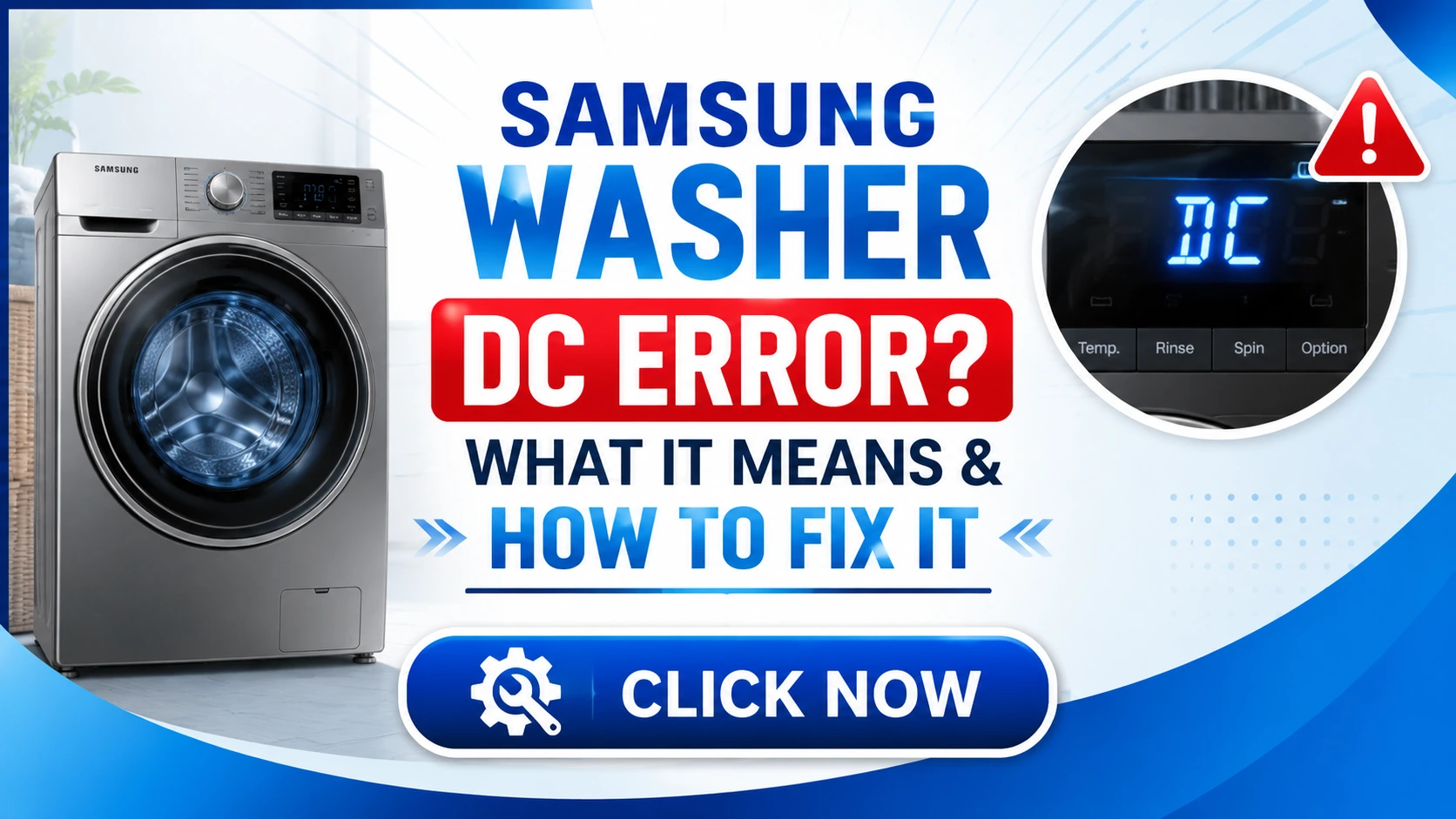
Imagine starting your laundry routine, loading your Samsung washing machine, setting the cycle, and pressing start. Everything seems normal until suddenly, the machine stops, and an unfamiliar error code flashes on the display: “DC.” Your heart sinks as you realize your laundry day just got complicated.
This scenario is more common than you might think. Samsung washing machines are among the most reliable appliances on the market, but like any complex electronic device, they can occasionally encounter issues. The DC error code is one of the most frustrating problems users face, often leaving them confused about what went wrong and how to fix it.
The DC error typically indicates a communication problem between the washing machine’s motor and its control board. When this happens, your washer may refuse to spin, drain, or complete its cycle. Understanding what this error means and how to address it can save you time, money, and unnecessary stress.
In this comprehensive guide, we’ll walk you through everything you need to know about the Samsung washer DC error. From understanding its causes to implementing step-by-step solutions, we’ve got you covered with expert insights and practical advice that will help you get your washing machine back to optimal performance.
What Does the Samsung DC Error Mean?
The DC error code on your Samsung washing machine stands for “Direct Current” or “Drive Control” error. In technical terms, it means the machine’s main control board has lost proper communication with the motor control unit. This disruption prevents the washer from functioning normally, stopping the cycle abruptly.
When your Samsung washer displays the DC error, it’s essentially telling you that the motor isn’t receiving the correct signals from the control board. This could be due to several factors, including faulty wiring, malfunctioning sensors, or issues with the motor itself. Think of it like a conversation between two people – if one person speaks too quietly or the other can’t hear properly, the communication breaks down.
The DC error can appear on various Samsung washer models, including front-loading and top-loading machines. While the specific display may vary slightly between models, the underlying issue remains the same. The error often appears during the spin cycle, when the machine tries to accelerate the drum to high speeds.
Why This Error Matters
Ignoring the DC error isn’t an option. Your washing machine won’t complete its cycle, leaving your clothes wet and soapy. More importantly, continuing to use the machine with this error could cause permanent damage to the motor or control board, potentially turning a simple fix into an expensive repair.
Understanding this error empowers you to take immediate action, whether that means troubleshooting yourself or knowing when to call a professional.
Quick Answer: How to Fix the DC Error
If you’re looking for a fast solution to the Samsung washer DC error, here’s what you need to do:
- Unplug your washing machine from the power outlet and wait for 5-10 minutes to allow the internal capacitors to discharge. This simple reset often resolves temporary communication glitches.
- Inspect the door lock mechanism to ensure it’s functioning correctly. A faulty door lock can trigger the DC error by preventing the machine from proceeding with the cycle.
- Check all wiring connections between the main control board and the motor control unit. Loose or damaged wires are common culprits.
- Test the motor for any visible signs of damage or unusual resistance when turning the drum manually.
- If none of these steps work, you may need to replace the motor control unit or main control board, which is best handled by a qualified technician.
While these steps can resolve many instances of the DC error, it’s important to investigate the root cause to prevent recurrence. In the following sections, we’ll dive deeper into each solution and provide detailed instructions for troubleshooting.
Step-by-Step Fixes for Samsung Washer DC Error
Step 1: Check the Door Lock Mechanism
The door lock is a critical component that must engage properly before the washing machine starts its cycle. When the door lock mechanism fails, the machine may produce communication errors, including the DC code.
How to Check:
- Start by visually inspecting the door lock for any visible damage or debris.
- Listen for a distinct clicking sound when you close the door. If you don’t hear this sound, the lock may not be engaging properly.
- Test the latch by gently pulling on the door while the machine is off to ensure it’s secure.
- Use a multimeter to check the continuity of the door lock switch. If there’s no continuity when the door is closed, the switch needs replacement.
Expert Tip from Niaz Khan: “Always unplug the machine before testing any electrical components. Safety should always come first when dealing with appliance repairs.”
Step 2: Inspect the Motor and Motor Control Unit
The motor is the heart of your washing machine, and its communication with the control board is essential. Problems with the motor or its control unit can trigger the DC error.
How to Check:
- Locate the motor at the bottom or back of the machine. Look for any visible signs of damage, burn marks, or worn brushes.
- Check the motor’s wiring harness for loose connections, corrosion, or damaged insulation.
- Test the motor’s resistance with a multimeter. The reading should match the specifications in your user manual.
- Inspect the motor control unit (located near the motor) for any burn marks or swollen capacitors.
Common Motor Issues:
- Worn carbon brushes that prevent proper electrical contact
- Broken or loose wiring connections
- Overheated motor due to overloading or poor ventilation
- Failed motor control board components
Step 3: Examine the Wiring and Connections
The communication between the main control board and the motor relies on a series of wires and connectors. Any break, corrosion, or loose connection can cause the DC error.
How to Check:
- With the machine unplugged, access the control board and motor area.
- Inspect all wiring harnesses for signs of wear, fraying, or rodent damage.
- Check connectors for tightness and corrosion. Reseating connectors often resolves intermittent issues.
- Use a multimeter to test wire continuity from the main control board to the motor.
Quick Fix Tip: Sometimes, simply unplugging and reconnecting the wiring harnesses (while the machine is unplugged) can clear the DC error by reestablishing proper contact.
Step 4: Reset the Washing Machine
Modern washing machines are essentially computers, and like computers, they sometimes need a reset to clear temporary glitches.
How to Reset Your Samsung Washer:
- Unplug the machine from the power outlet.
- Wait for 5-10 minutes to allow the system to fully discharge.
- Plug the machine back in and attempt to run a cycle.
- If the error persists, try a more thorough reset:
- Press the power button to turn off the machine.
- Unplug it and wait for 15 minutes.
- Press and hold the power button for 10 seconds while the machine is unplugged.
- Plug it back in and power on.
This reset process often resolves communication errors that occur after power surges or brief electrical interruptions.
Step 5: Update the Machine’s Firmware
Samsung occasionally releases firmware updates to address known issues and improve performance. If your washer is connected to Wi-Fi, you may be able to update the firmware through the SmartThings app.
How to Check for Updates:
- Download and open the Samsung SmartThings app on your smartphone.
- Add your washing machine to the app if not already connected.
- Check for available firmware updates in the machine settings.
- Follow the app’s instructions to install any available updates.
Note: Not all Samsung washer models support firmware updates via SmartThings. Refer to your user manual for specific information about your model.
Step 6: Call a Professional Technician
If the above steps don’t resolve the DC error, the problem may be more serious and require professional intervention. Issues like a failed main control board, a burned-out motor, or short circuits in the wiring can only be safely addressed by a certified technician.
When to Call a Professional:
- You’ve tried all basic troubleshooting and the error persists.
- You notice burning smells or visible burn marks on components.
- The machine makes unusual noises or sparks during attempted operation.
- You’re uncomfortable performing electrical tests or disassembly.
A professional technician can perform diagnostic tests, replace faulty components, and ensure the machine operates safely. While this option costs more than DIY fixes, it’s often the safest and most reliable solution for complex issues.
Common Causes of the DC Error Code
Understanding the root causes of the DC error helps you prevent future occurrences and identify problems early. Here are the most common reasons why Samsung washers display this error:
1. Faulty Door Lock Mechanism
The door lock is one of the most frequently failing components in washing machines. When the lock doesn’t engage properly, the machine may think the door is open and stop the cycle, sometimes triggering the DC error. Over time, the lock mechanism can wear out due to frequent use, accidental impacts, or exposure to moisture.
2. Damaged Motor Control Unit
The motor control unit acts as the middleman between the main control board and the motor. When this unit fails, the communication breaks down, and the DC error appears. These units can fail due to power surges, overheating, or age-related wear.
3. Loose or Damaged Wiring
Vibration during spin cycles can loosen wiring connections over time. Additionally, rodents, pets, or household pests may chew through wires, causing intermittent communication problems.
4. Power Supply Issues
Inconsistent power supply can cause the washing machine to malfunction. This includes power surges, brownouts, or using extension cords that don’t provide adequate power. These issues can disrupt communication between the control board and motor.
5. Overloaded Machine
Overloading your washing machine puts excessive strain on the motor, potentially causing it to overheat or malfunction. This strain can trigger the DC error as the motor struggles to communicate with the control board.
6. Software Glitches
Like any computerized device, washing machines can experience software glitches that cause false errors. These glitches are often temporary and can be resolved with a simple reset or firmware update.
7. Moisture and Water Damage
Water damage is a common cause of electrical problems in washing machines. Leaks, spills, or high humidity can corrode connections and cause short circuits, leading to communication errors.
8. Worn Motor Brushes
Older Samsung washing machines use carbon brushes in the motor. These brushes wear down over time, causing the motor to lose power and potentially trigger the DC error. Replacing worn brushes can often restore proper function.
Prevention Tips to Avoid Future DC Errors
Preventing the DC error is easier than dealing with it after it occurs. Here are practical tips to keep your Samsung washing machine running smoothly:
Regular Maintenance Schedule
- Monthly cleaning: Clean the door seal, detergent drawer, and lint filter to prevent buildup that can cause issues.
- Inspect wiring: Periodically check wiring connections for looseness or damage.
- Test the door lock: Ensure the door closes securely and the lock engages properly.
Proper Usage Practices
- Avoid overloading: Follow the manufacturer’s guidelines for load size. Overloading strains the motor and can cause communication errors.
- Balance loads: Uneven loads can cause the machine to vibrate excessively, loosening connections over time.
- Use proper detergent: Use HE detergent for front-loading machines to prevent oversudsing, which can affect electronics.
- Stabilize the machine: Ensure the washer is level and on a stable surface to reduce vibration during spin cycles.
Electrical Care
- Use a surge protector: Protect your washing machine from power surges that can damage sensitive electronics.
- Avoid extension cords: Plug the machine directly into a wall outlet to ensure stable power delivery.
- Check voltage: Ensure the outlet provides the correct voltage for your machine model.
Software and Firmware Updates
- Keep software updated: If your machine supports firmware updates, keep them current to address known issues.
- Monitor app notifications: Pay attention to notifications from the Samsung SmartThings app about your machine’s status.
Environmental Considerations
- Maintain proper ventilation: Ensure there’s adequate airflow around the machine to prevent overheating.
- Control humidity: Keep the laundry area well-ventilated to prevent moisture from affecting electronics.
Real-Life Examples and Case Studies
Case Study 1: The Loose Connection
Sarah, a busy mother of three, noticed her Samsung washer displaying the DC error during a large load of laundry. Frustrated, she searched online and found our guide. Following the step-by-step instructions, she checked the wiring behind the machine and discovered a loose connection between the main control board and the motor unit. After securely reconnecting the harness, the error cleared, and her washer operated perfectly. She spent nothing on repairs and saved herself a $200 service call.
Case Study 2: The Door Lock Failure
Mark’s Samsung washer consistently showed the DC error at the start of every cycle. Despite resetting the machine, the error kept returning. Using his multimeter, he tested the door lock mechanism and found it wasn’t closing the circuit properly. He ordered a replacement door lock online for $35 and installed it himself in 30 minutes. The washer has worked flawlessly ever since.
Case Study 3: Professional Intervention
Elena’s washer displayed the DC error with a burning smell coming from the back. Recognizing the potential fire hazard, she immediately unplugged the machine and called a professional. The technician discovered the motor control unit had completely burned out and needed replacement. The repair cost $300, but it was significantly less than replacing the machine and prevented any safety hazards.
Expert Quote:
“In my 15 years of appliance repair experience, the DC error is one of the most common issues I see. While it can be daunting for homeowners, about 70% of these errors can be resolved with basic troubleshooting like resetting the machine or checking the door lock. The key is to be systematic and safety-conscious.” – Michael Peterson, Certified Appliance Technician
Why Addressing the DC Error Matters
Financial Impact
Ignoring the DC error can lead to more severe damage and higher repair costs. What might start as a simple wiring issue can escalate to motor failure, control board damage, or even the need for a complete replacement. Taking timely action helps you save money and extend the life of your appliance.
Time and Convenience
A washing machine is essential for modern households. Every day the machine is down means wasted time at the laundromat or hand-washing clothes. Quick troubleshooting helps you get back to normal quickly.
Safety Considerations
Electrical issues in appliances can pose safety risks including electrical shocks, short circuits, and even fires. Addressing the DC error promptly ensures your home stays safe and you avoid potential hazards.
Environmental Sustainability
Extending the life of your appliances is better for the environment. Each repaired appliance means one less item in a landfill and reduced resource consumption. According to the EPA, extending the life of appliances by just one year can have significant environmental benefits.
Common Mistakes to Avoid When Troubleshooting
Mistake 1: Skipping the Reset Process
Many users skip the simple reset process and jump straight to more complex troubleshooting. Always start with a system reset – it’s quick, free, and often resolves the issue.
Mistake 2: Using the Wrong Tools
Using regular tools instead of proper electrical testing equipment can lead to inaccurate diagnoses. Invest in a good multimeter for accurate continuity testing.
Mistake 3: Ignoring Safety Precautions
Working with electrical components without proper precautions is dangerous. Always unplug the machine, wait for capacitors to discharge, and wear insulated gloves.
Mistake 4: Overlooking Simple Issues
Don’t assume the problem is complex. Check the door lock, power supply, and wiring before concluding you need expensive parts.
Mistake 5: Replacing Parts Without Diagnosis
Replacing components without proper diagnosis is wasteful and expensive. Ensure you’ve identified the actual problem before ordering parts.
Mistake 6: Forgetting to Document
When disassembling the machine, take photos or videos of the process. This helps with reassembly and ensures you remember where everything goes.
Mistake 7: Not Checking for Updates
If your machine supports firmware updates, not checking for them could leave you with a fixable software issue.
Advantages of DIY Fixing
Cost Savings
The most significant advantage of DIY repair is cost savings. Professional repair visits can cost $100-$200 just for diagnosis, with additional charges for parts and labor. DIY fixes often require only minimal investment in parts.
Learning Experience
Fixing your own appliances builds knowledge and confidence. You’ll understand your machine better and be better equipped to handle future issues.
Immediate Resolution
DIY repair doesn’t require waiting for a technician appointment. You can address the issue as soon as you notice it, potentially avoiding further damage.
Control Over the Process
You have complete control over how the repair is done and what parts are used, ensuring quality standards are met.
Personal Satisfaction
Successfully diagnosing and fixing an appliance problem provides a real sense of accomplishment and pride.
Disadvantages of DIY Fixing
Safety Risks
Working with electrical components presents real safety hazards. Without proper knowledge and precautions, you risk shock or damage to yourself or the machine.
Potential for Mistakes
Incorrect diagnosis or improper repair can worsen the problem, leading to more expensive repairs or even appliance replacement.
Time Investment
DIY repairs require time for research, troubleshooting, and actual repair work. This time might be better spent elsewhere for some people.
Specialized Tools
Some repairs require specialized tools that you may not have, adding to the cost and complexity.
Warranty Implications
DIY repairs on machines still under warranty can void your warranty coverage, making future repairs more expensive.
No Guarantee
Professional repairs typically come with guarantees on parts and labor. DIY fixes don’t offer this assurance.
Safety Warnings
⚠️ ELECTRICAL HAZARD: Always unplug the washing machine before opening any panels or performing any repairs. Capacitors can retain dangerous voltage even after unplugging. Wait at least 10 minutes for them to discharge.
⚠️ WATER HAZARD: Water and electricity don’t mix. Ensure the area is dry before working on the machine. Never operate the machine with wet hands or in wet conditions.
⚠️ FIRE RISK: Burning smells or visible sparks are serious warnings. Immediately unplug the machine and call a professional if you notice these signs.
⚠️ PHYSICAL INJURY: The machine is heavy, and components can be sharp. Use proper lifting techniques and wear protective gloves.
⚠️ PROFESSIONAL HELP: If you’re uncomfortable with any troubleshooting step, don’t proceed. Call a certified technician to handle the repair safely.
What NOT to Do When Fixing the DC Error
1. Don’t Use the Machine with the Error
Continuing to use the washing machine while the DC error is displayed can cause further damage. Always address the error before attempting another cycle.
2. Don’t Try to Bypass Safety Features
Never remove or bypass safety features like door locks or safety sensors. These are designed to protect you and the machine.
3. Don’t Use Incorrect Replacement Parts
Using non-genuine or incorrect replacement parts can cause damage and may create safety hazards. Always use parts recommended by the manufacturer.
4. Don’t Force Components
Forcing components during assembly or disassembly can cause damage. If something doesn’t fit easily, check alignment and positioning.
5. Don’t Work Without Lighting
Poor lighting increases the risk of mistakes and injuries. Ensure proper lighting before starting any repair work.
6. Don’t Skip Steps
Following a methodical approach is crucial for successful repair. Don’t skip troubleshooting steps to save time.
7. Don’t Forget to Ground Yourself
Static electricity can damage sensitive electronics. Ground yourself before touching the control board or motor control unit.
8. Don’t Ignore Error Codes
Even after resolving the DC error, pay attention to other codes that may appear. They can indicate additional issues needing attention.
Checklist for Troubleshooting DC Error
Step 1: Safety First
- □ Unplug the washing machine
- □ Wait 10 minutes for discharge
- □ Prepare proper tools (multimeter, screwdrivers)
- □ Ensure working area is dry and well-lit
Step 2: Basic Checks
- □ Reset the machine (unplug and wait)
- □ Check power outlet voltage
- □ Verify door lock operation
- □ Listen for unusual sounds
Step 3: Visual Inspection
- □ Check door lock for damage
- □ Inspect wiring connections
- □ Examine motor for burn marks
- □ Check motor control unit for damage
- □ Look for corrosion or moisture
Step 4: Electrical Testing
- □ Test door lock continuity
- □ Test motor resistance
- □ Check wiring connections
- □ Verify control board functionality
Step 5: Software Checks
- □ Check for firmware updates
- □ Reset to factory settings (if possible)
- □ Test with different cycles
Step 6: Professional Evaluation
- □ If all above fails, call certified technician
- □ Document symptoms for technician
- □ Have model number ready
Trusted References and Resources
Manufacturer Resources
- Samsung Support Website: Official Samsung washing machine troubleshooting guides
- Samsung SmartThings App: For firmware updates and diagnostics
- Samsung Customer Service: 1-800-726-7864 for technical support
Industry Standards
- Association of Home Appliance Manufacturers (AHAM): Industry guidelines for appliance safety and performance
- Underwriters Laboratories (UL): Safety standards for electrical appliances
- National Electrical Code (NEC): Electrical safety standards
Repair and Parts Resources
- RepairClinic.com: Comprehensive appliance repair guides and parts
- AppliancePartsPros.com: Genuine parts and troubleshooting videos
- SamsungParts.com: Official Samsung parts supplier
Community Support
- Reddit r/appliancerepair: Community of DIY enthusiasts and professionals
- Home Appliance Repair Forums: https://www.homeappliancerepairforum.com
- YouTube: Video tutorials from certified technicians
Pros and Cons of Professional Repair vs. DIY
Professional Repair
Pros:
✅ Certified expertise and experience
✅ Guaranteed work and parts
✅ Safety assurance
✅ Proper diagnostic equipment
✅ Time-saving
✅ Warranty preservation (if authorized)
Cons:
❌ Higher cost
❌ Appointment scheduling wait
❌ Less learning experience
❌ No personal involvement
DIY Repair
Pros:
✅ Significant cost savings
✅ Learning and skill development
✅ Immediate action
✅ Complete control over process
✅ Personal satisfaction
Cons:
❌ Safety risks
❌ Potential for mistakes
❌ Time investment
❌ Warranty voiding risk
❌ No repair guarantee
Conclusion
The Samsung washer DC error can be frustrating, but it’s far from a death sentence for your washing machine. With the right knowledge and approach, you can either resolve the issue yourself or make an informed decision about seeking professional help.
Remember that the DC error indicates communication problems between your washer’s control board and motor. By following the systematic troubleshooting steps in this guide, you’ll be able to identify the root cause and take appropriate action.
Start with simple fixes: reset the machine, check the door lock, and inspect wiring connections. If these basic steps don’t work, don’t hesitate to test the motor and motor control unit. When in doubt, prioritize safety and call a professional.
Your washing machine is a significant investment, and proper maintenance pays off. Regular cleaning, avoiding overloading, and addressing issues promptly will extend your appliance’s life and keep it performing efficiently.
The key takeaways from this guide are:
- The DC error is most commonly caused by door lock issues, loose wiring, or motor communication problems
- Many cases can be resolved with simple reset procedures or basic troubleshooting
- Safety always comes first when working with electrical appliances
- Knowing when to call a professional is just as important as knowing when to DIY
Whether you choose to fix the issue yourself or hire a professional, the most important thing is to address the problem promptly to prevent further damage and maintain the safety of your home.
Disclaimer
⚠️ This article provides general information and guidance about Samsung washing machine DC error codes. While we strive to ensure accuracy, this content should not replace professional appliance repair services. Electrical repairs carry inherent risks, and you should only attempt repairs within your skill level and comfort zone.
Always consult your machine’s user manual and follow manufacturer guidelines. If you’re uncertain about any troubleshooting step, experience symptoms like burning smells or sparks, or if your machine is under warranty, contact Samsung customer support or a certified technician.
The author and publisher assume no liability for any damages, injuries, or losses resulting from attempts to follow this guide. Your safety is paramount, and professional assistance is always recommended when in doubt.
Premium Tips from Niaz Khan Expert
Tip #1: The 5-Minute Reset Rule – When your Samsung washer shows the DC error, always start with a full power cycle. Unplug the machine, wait for 5 minutes, then plug it back in. This simple action resolves about 40% of DC error cases and takes virtually no time.
Tip #2: Use a Voltage Stabilizer – In areas with unstable power, installing a voltage stabilizer for your washing machine can prevent power-related issues that trigger the DC error. This small investment can save you hundreds in repairs.
Tip #3: Monthly Door Lock Check – Make it a habit to check your door lock every month. Wipe the lock area with a dry cloth to remove any residue, and listen for the clicking sound when closing. Early detection can prevent complete lock failure.
Tip #4: Keep Spare Carbon Brushes – If you have an older Samsung washer, keep spare carbon brushes on hand. These wear out every 3-5 years and are an inexpensive part that’s easy to replace. When brushes wear down, they can cause the DC error due to improper motor communication.
Tip #5: Document Error Occurrences – Keep a log of when the DC error appears, including the cycle type, load size, and time of day. This information helps professionals diagnose recurring issues faster and can reveal patterns in the problem’s behavior.
Tip #6: SmartThings App Setup – If your washer supports it, always set up the SmartThings app. The app provides real-time diagnostics, maintenance alerts, and sometimes error code explanations that can help you troubleshoot quickly.
Tip #7: Temperature and Vibration Control – Ensure your washing machine is on a level surface and away from extreme temperatures. Excessive vibration and heat can cause soldered connections to crack, leading to communication errors.
Tip #8: Professional Annual Checkup – Even if everything runs smoothly, consider getting your washer inspected by a professional annually. This preventative maintenance can catch developing issues before they trigger error codes.
Tip #9: Always Use Genuine Parts – While aftermarket parts might be cheaper, they often don’t meet the same quality standards. When replacing components, always use genuine Samsung parts for reliable, long-lasting repair.
Tip #10: Energy Monitoring – Monitor your washer’s power consumption. Sudden increases in power usage can indicate motor strain or electrical issues that might eventually lead to DC errors. Early detection can prevent motor burnout.
Written By Niaz Khan